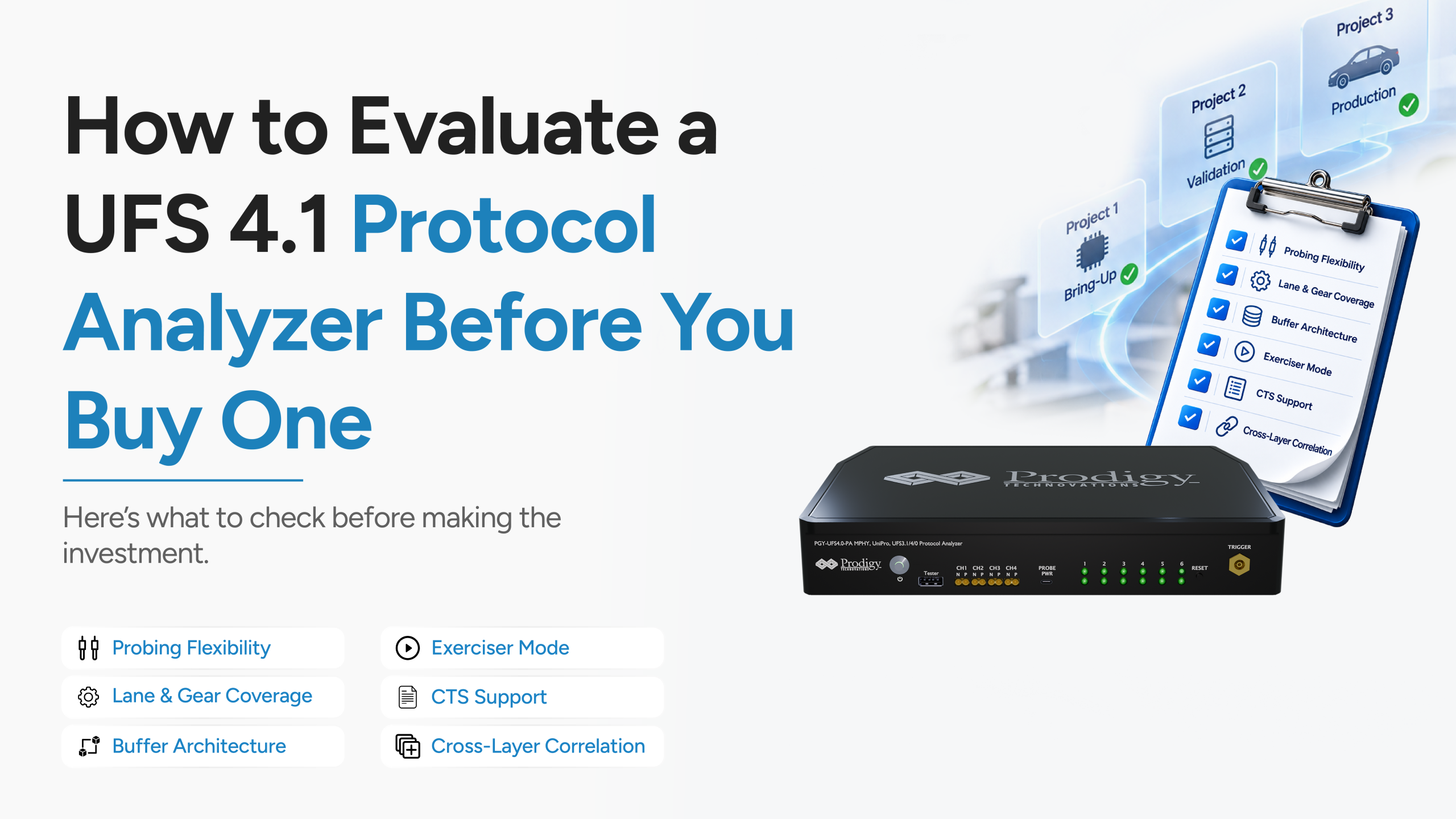
Picture this like Eighteen months after your team buys a UFS protocol analyzer, a new SoC project kicks off. Different device vendors this time, different firmware team, and the DUT has no accessible test points where your existing probes expect them to be. The analyzer that worked perfectly for your last project suddenly can’t reach the signals on this one.
Now, this is not a hypothetical situation. It is one of the most common ways a UFS protocol analyzer purchase turns into a bad one, not because the tool was defective, but because it was evaluated for the project in front of you instead of the projects that would come after it.
Here’s what you need to realise: a UFS protocol analyzer isn’t tied to a single project. It gets used across multiple SoC generations, multiple UFS device vendors, and multiple firmware revisions, often by engineers on your team who weren’t even part of the original buying decision. If the tool can’t stretch across all of that, you’re not looking at a one-time purchase. You’re looking at a replacement cycle.
So before you request a quote from anyone, ask “does this analyzer be useful three projects from now?”
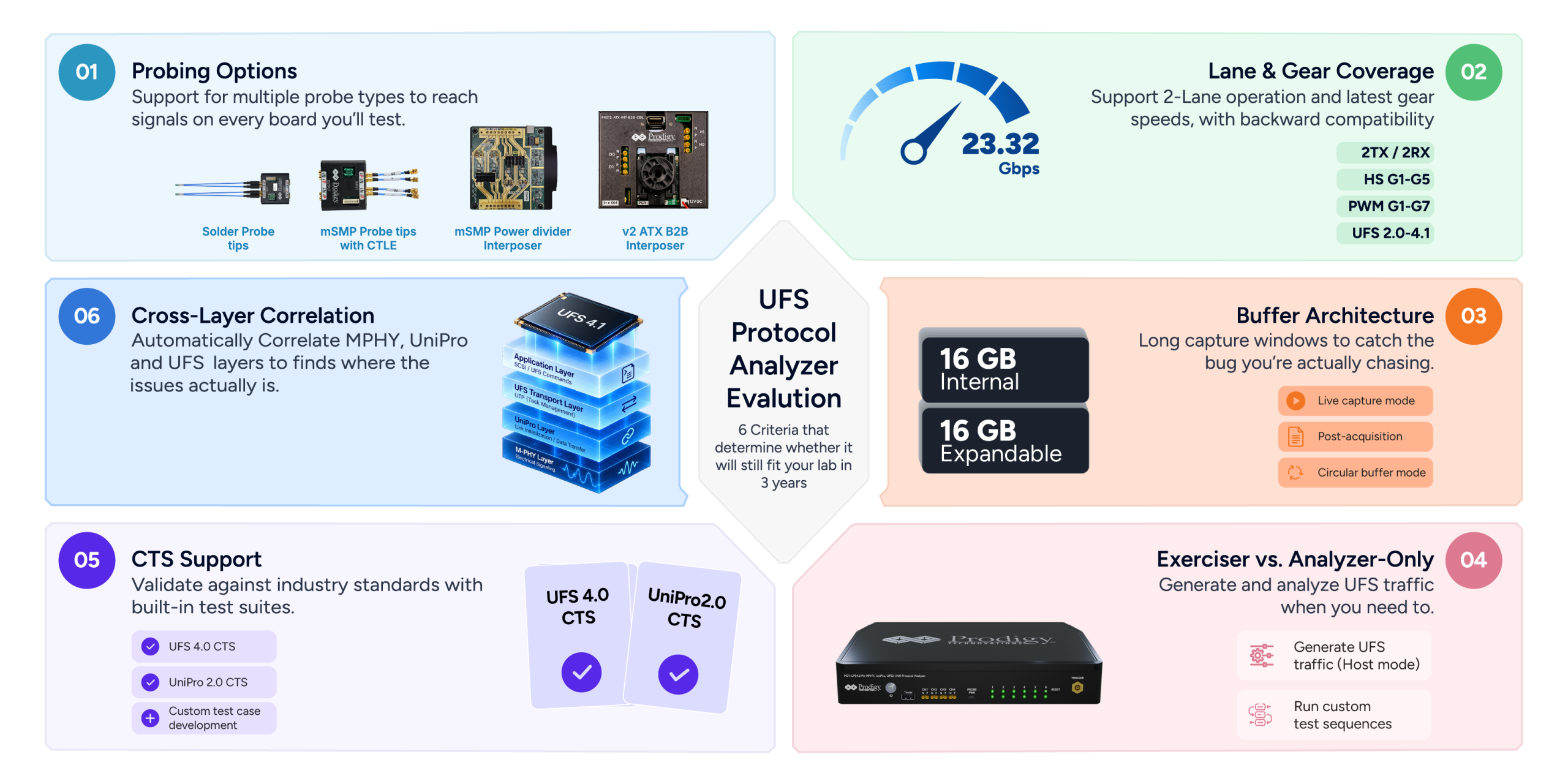
The Six Criteria That Actually Determine Long-Term Value
A spec sheet full of impressive numbers doesn’t answer that question on its own. These six factors do:
Can It Reach the Signals on Every Board You’ll Test?
UFS signals in 4.1 designs run up to 23.32 Gbps per lane, and test points on real boards are rarely convenient. A vendor that only offers one probing method, typically a solder-down probe, leaves you stuck the moment your next DUT has an SMPM connector instead, or no accessible test points at all.
What to look for:
- Solder-down active probes for standard test pad access
- mSMP probe tips for platforms with SMPM connectors
- Power divider interposers for boards where signals need to be tapped without disrupting the host-device link
- Board-to-board interposers for DUTs where test points simply don’t exist
Does It Keep Up as Your Designs Get Faster?
This one determines whether the analyzer becomes obsolete the moment your team moves to a faster UFS generation. An analyzer limited to one lane or older gear speeds hits a hard ceiling fast.
Ask the vendor directly:
- Does it support two-lane operation (2TX/2RX), or just one?
- What’s the highest gear speed it decodes, and is that still current in two years?
- Is it backward compatible with the UFS versions you’re still supporting in older projects?
Can It Capture Long Enough to Catch the Bug You’re Actually Chasing?
Debugging intermittent issues often means capturing hours of traffic before the fault shows up. A shallow buffer forces you to guess when to start and stop capture, which usually means missing the exact moment you needed.
- Internal acquisition memory that’s expandable, not fixed
- Support for live, post-acquisition, and circular buffer capture modes
- Enough headroom to run overnight or unattended captures without truncating data
Is It Just Silently Watching, or Can It Also Generate Traffic?
An analyzer-only tool can watch and decode traffic between an existing host and device. That’s it. An exerciser can generate UFS traffic itself, which matters the moment you need to:
- Test a UFS device before a working host platform exists
- Inject specific error conditions to see how a device responds
- Run custom test sequences that don’t depend on whatever traffic your current host happens to produce
If your team’s validation work touches early-stage device testing at any point, analyzer-only capability isn’t enough.
Does It Prove Conformance, or Just Confirm “It Works With This One Device”?
Conformance testing against MIPI Alliance and JEDEC-defined test suites, specifically UFS 4.0 CTS and UniPro 2.0 CTS, tells you whether a device or host genuinely complies with the standard. That’s a very different thing from confirming it happens to work with the one device you tested it against.
This matters most when:
- You’re validating a new UFS device design and need a documented, standards-based pass/fail record
- You’re working toward certification or need to hand results to a customer or partner
- You want confidence that hasn’t been informally tested only against your team’s specific setup
When Something Breaks, Can You Actually Find Where?
UFS communication happens across three layers at once: MPHY, UniPro, and UFS. If something goes wrong, the failure usually shows up at one layer but it may have its origins elsewhere.
An analyzer that decodes each layer separately leaves you manually cross-referencing timestamps across three different views, which turns a debugging session into hours of guesswork. One that automatically time-correlates MPHY, UniPro, and UFS layer data turns that same session into a much faster, much more specific finding.
For a deeper look at how these layers actually communicate with each other, our earlier piece on the UFS protocol is worth reading before you evaluate tools against this criterion.
A Simple Scoring Framework You Can Apply to Any Vendor
Once you know the criteria, the next step is comparing vendors on equal footing instead of getting swayed by whichever one has the flashiest demo. A basic 1-to-5 scoring table, applied consistently across every vendor you’re evaluating, keeps the comparison honest.
| Criterion | What a 5 looks like | What a 1 looks like |
| Probing options | Multiple probe types plus custom interposer support | One fixed probe type, no flexibility |
| Lane/gear coverage | 2-lane, up to latest HS gear | Single lane, older gears only |
| Buffer architecture | Expandable memory, multiple capture modes | Fixed, shallow buffer |
| Exerciser capability | Full host exerciser with custom scripting | Analyzer-only, no traffic generation |
| CTS support | Standards-based UFS and UniPro CTS built in | No conformance testing available |
| Cross-layer correlation | Automatic time correlation across all layers | Manual, layer-by-layer review only |
How Should You Weight Each Criterion?
Score every vendor against every row first, then weight the criteria based on what your team actually needs.
- Focused mainly on host-side debug? Weight cross-layer correlation and buffer depth heavily.
- Validating new UFS devices for certification? Weight CTS support and exerciser capability higher.
- Testing across boards with inconsistent layouts? Probing flexibility deserves more weight than it might otherwise get.
There’s no universal right answer here, only the right answer for your specific validation workload.
Where the PGY-UFS4.1-EX-PA Lands on Each Axis
Since this is exactly the kind of decision our own customers walk through, it’s worth being transparent about where Prodigy’s UFS 4.1 Protocol Exerciser and Analyzer, the PGY-UFS4.1-EX-PA, sits against this same framework.
Probing: Solder-down active probes, mSMP CTLE probe tips, power divider interposers, board-to-board interposers, and fully custom interposer development for non-standard layouts.
Lane and Gear Coverage: Two data lanes (2TX/2RX) across PWM G1 to G7 and HS Gear 1 through Gear 5, Rate A and B, up to 23.32 Gbps per lane, with backward compatibility to UFS 2.0 through 4.1.
Buffer Architecture: 16 GB of internal acquisition memory, expandable to 64 GB, with live, post-acquisition, and circular capture modes.
Exerciser Capability: Not analyzer-only. The PGY-UFS4.1-EX-PA supports an optional UFS 4.1 host exerciser mode, letting you generate and analyze traffic from the same platform.
CTS Support: Both UFS 4.0 CTS and UniPro 2.0 CTS, along with custom test case development for scenarios the standard suites don’t cover.
Cross-Layer Correlation: This is where the platform was specifically built to help. MPHY, UniPro, and UFS layers are decoded and time-correlated automatically, so a fault that shows up in one layer can be traced back to its actual origin instead of being pieced together by hand.
If you’re currently evaluating UFS test equipment for your lab and want to walk through this framework against your specific validation needs, you can find the full specifications on the UFS 4.1 Protocol Exerciser and Analyzer product page, or watch it in action here.